Disclaimer: The information in this article is compiled by evisaflow.com from official publications and open internet sources for informational purposes only, and does not constitute formal travel advice. Travel information (including but not limited to visa regulations, entry policies, fees, and attraction schedules) is subject to change without notice. Please verify all details independently with the relevant official authorities before traveling. evisaflow.com assumes no liability for travel disruptions or losses resulting from reliance on this content.
Guide
Border & Entry
6 min read
SGAC or MDAC Mistake: Officially Verified Correction Steps
What the official Singapore and Malaysia systems actually let you do after entering the wrong passport, flight, or arrival details.
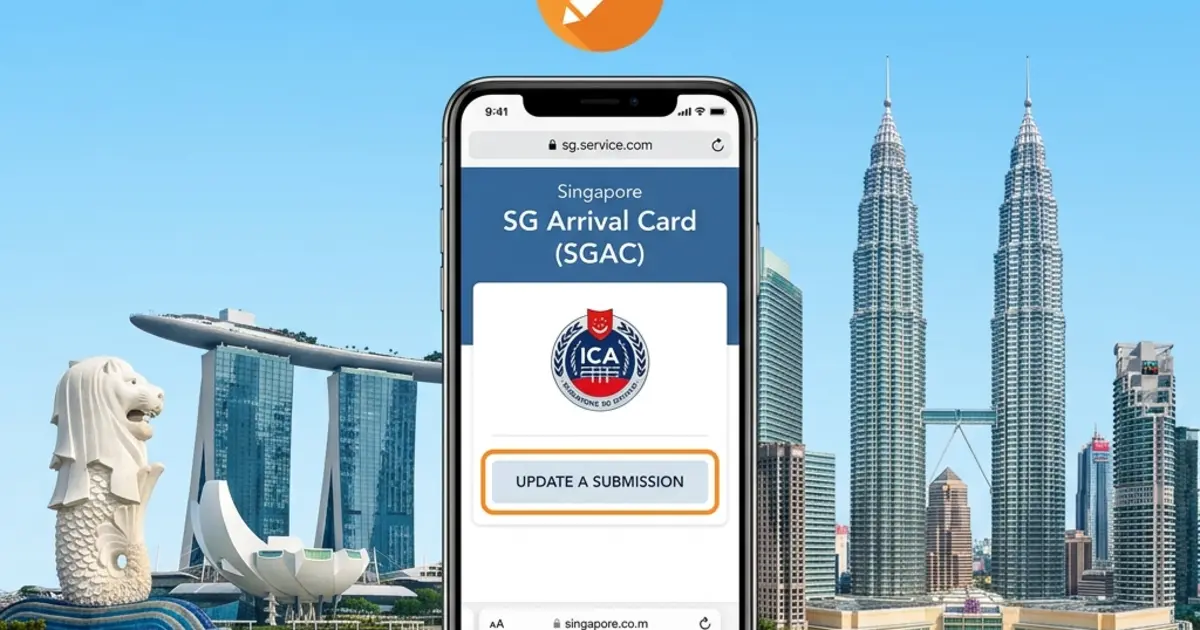
A wrong passport number and a changed flight do not always use the same correction path. First identify which field is wrong, then use the relevant country's official service. The SGAC steps below describe the foreign-visitor update screen in the current e-Service.
TL;DR: For SGAC, use Update SGAC for editable details while the record remains valid. Changes to the arrival date, full name, passport number, passport expiry, date of birth or nationality require a new submission. For MDAC, retrieve the record through Check Registration; recover the PIN if needed, then ask Malaysian Immigration how to correct an error.
Which Action Fits Your Mistake?
| Problem | Next step |
|---|---|
| SGAC: wrong arrival date or one of the five identity/passport fields listed below | Make a new submission with the correct information. |
| SGAC: another detail changes, such as a flight number | Open Update SGAC while the record is valid and amend the fields available there. |
| SGAC: trip cancelled | No withdrawal is needed. Submit a new SGAC for a future trip. |
| MDAC: missing PIN | Use Forgot your PIN? on the record-checking page. |
| MDAC: wrong passport or travel information | Retrieve the record and request correction instructions through the official inquiry system. |
Singapore SGAC: Update or Submit Again?
These six fields require a new submission
The official foreign-visitor update screen explicitly excludes Date of Arrival, Full Name, Passport Number, Date of Passport Expiry, Date of Birth, and Nationality / Citizenship from editing. If one of these is wrong, submit a new SGAC with the correct details. ICA says the new declaration with updated information supersedes the earlier one; you do not need to cancel the old submission.
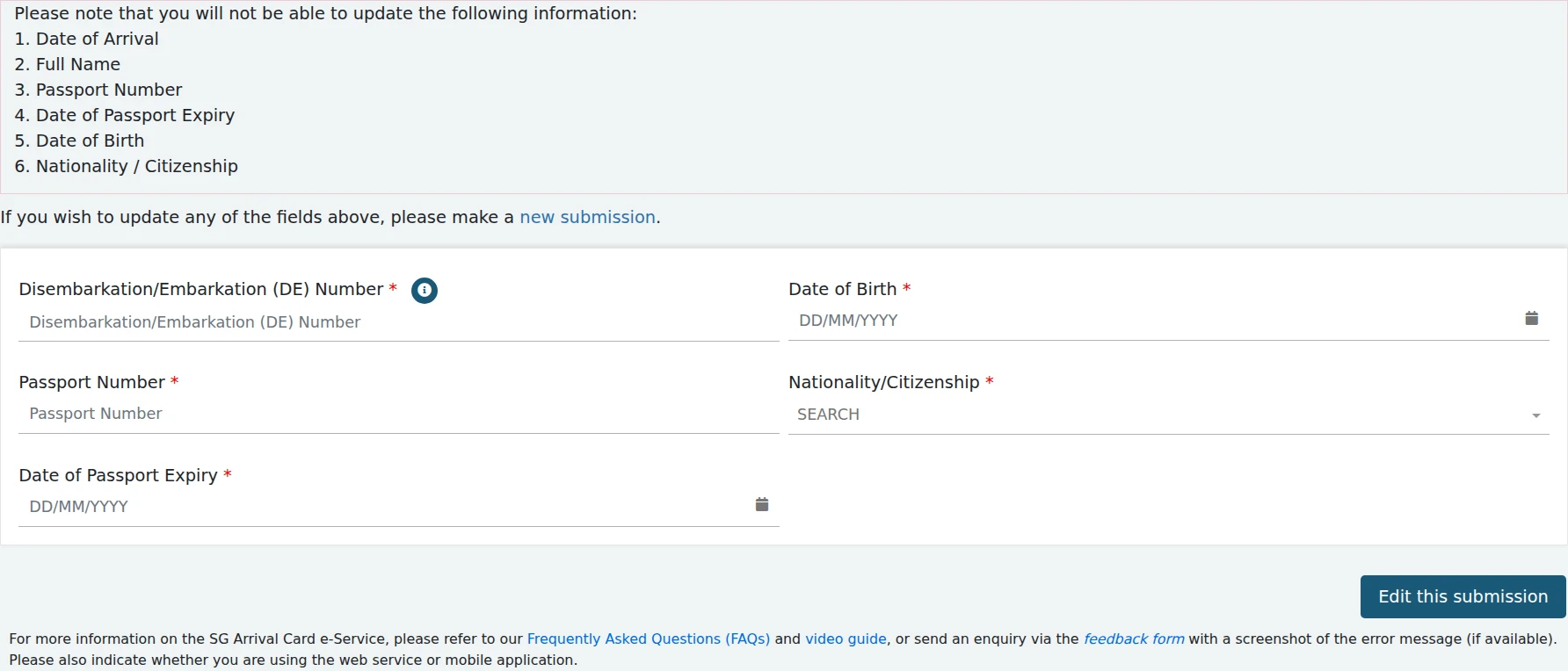
Official SGAC foreign-visitor update screen: check the six excluded fields before trying to edit a record.
How to update other details
- Open the official SGAC service and select Update SGAC, then Foreign Visitor / In-Principle Approval Holder. ICA's FAQ also calls this function Update a Submission.
- Have your DE number, date of birth, passport number, nationality and passport expiry date ready. Enter the details requested on the search screen to retrieve your submission.
- Amend the available fields, review the details and submit the changes.
- Download the updated PDF. In MyICA Mobile, open the unexpired trip, select Edit, submit the changes and review the updated record.
ICA says a record expires after the stated arrival date or after the trip has been made, whichever comes first. Submit a new SGAC for a future trip; cancelling a trip does not require withdrawing the old declaration. SGAC submission through ICA is free and must be made within the three-day window including arrival day—for arrival on the 10th, that means the 8th, 9th or 10th.
Malaysia MDAC: Find the Record, Then Resolve the Error
Retrieve the record or recover your PIN
- Open Check Registration.
- Enter the passport number, nationality and PIN associated with the registration, and complete the on-screen verification.
- If you cannot find the PIN, select Forgot your PIN?. The recovery page asks for the passport number and nationality, then security verification. It says a new PIN will be emailed and that a reset is allowed only once a day. Check the mailbox used for registration, including spam.
- Compare the retrieved record with your passport and latest booking. Save the confirmation or a screenshot for reference.
If a field is wrong, what should you ask?
Use the Immigration Department's Sistem Pertanyaan Online (SPO). If the MDAC homepage's contact link fails, open this current inquiry address directly. Complete your contact information and select a relevant category and subcategory. In the inquiry details, explain which MDAC field is wrong, the correct value, your planned arrival date and entry point, and ask whether you need a new registration or another correction procedure. Keep the response with your trip documents.
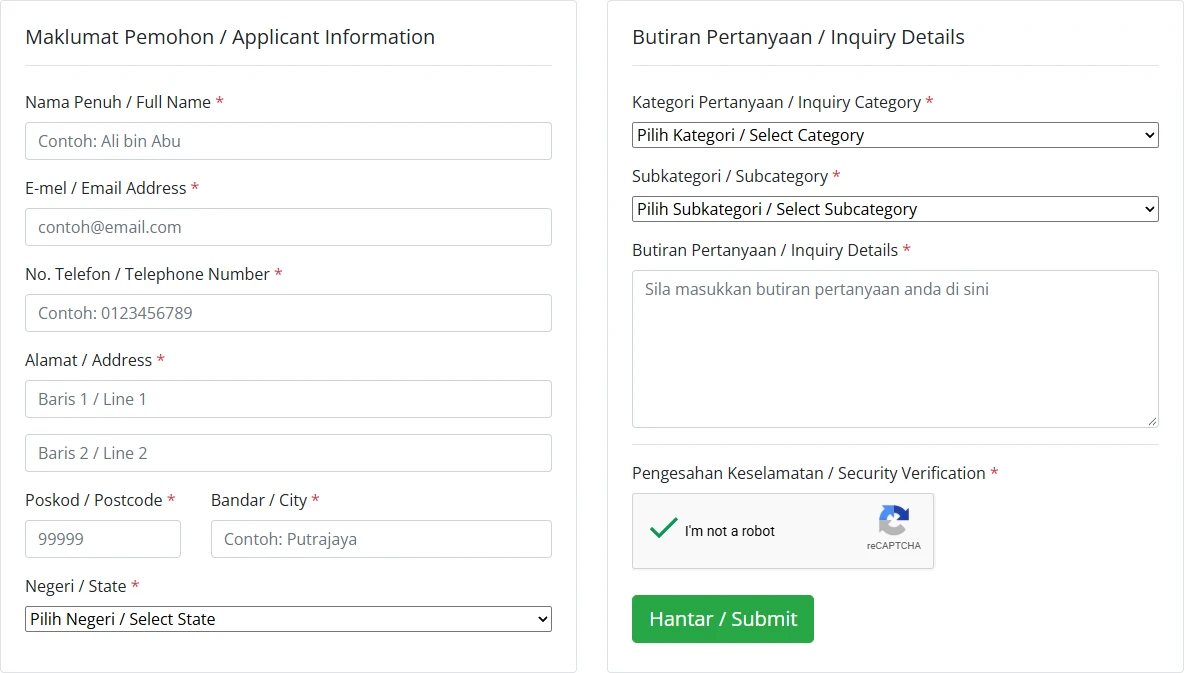
Official SPO inquiry form. Describe the incorrect MDAC field and the correct information in Inquiry Details; this sends an inquiry, not an edit to your MDAC.
The public MDAC web pages checked for this guide do not establish that resubmission automatically replaces an earlier record. Do not assume Singapore's replacement rule also applies to MDAC. If you have already submitted twice, mention that in your inquiry and ask which record to use.
Details to Check Before Submission
Compare these fields with the passport and current booking before pressing submit:
- Passport number, nationality, and passport expiry date.
- Full name, date of birth, and sex as shown in the travel document.
- Arrival and departure dates.
- Flight, vessel, or transportation number and mode of travel.
- Last port of embarkation and entry details requested by the form.
- Accommodation type, Malaysian address, state, postcode, and city.
- Email address and mobile number used to receive or recover the confirmation.
If a flight changes after submission, follow the correction method documented by that country's official system. Do not assume that an airline update automatically changes an arrival-card record.
How eVisaFlow Helps Before Submission
eVisaFlow Southeast Asia can fill saved passport, trip, accommodation, and contact information on the official SGAC and MDAC websites. Review every field against the passport and current booking before submitting; autofill reduces repeated typing but does not replace the traveler's responsibility to verify the declaration.
References
- Singapore ICA — SG Arrival Card with Electronic Health Declaration
- AskGov / ICA — Updating a submitted SG Arrival Card
- AskGov / ICA — Downloading the updated SGAC
- AskGov / ICA — New SGAC supersedes the earlier declaration
- AskGov / ICA — Cancelled or rescheduled trip
- Malaysia Digital Arrival Card official portal
- Malaysia MDAC — Registration
- Malaysia MDAC — Check Registration
- Malaysian Immigration Department — MDAC announcement
- ICA — SGAC e-Service and foreign-visitor update screen
- Malaysia MDAC — Recover PIN
- Malaysian Immigration — Online Inquiry System (Malay and English)
eVisaFlow tool
Filling official eVisa and arrival forms?
eVisaFlow helps you reuse passport details and reduce repetitive typing when you complete supported Southeast Asia eVisa and arrival forms.
Related Reading
News
Singapore Entry Guide: SG Arrival Card and No-Boarding Directive Rules
Understand Singapore SG Arrival Card requirements, no-boarding directive risks, and what travellers should check before departure.
Guide
Malaysia Visa-Free Entry: Do You Still Need the MDAC?
Yes — visa-free entry does not waive the MDAC for most travelers. How China's and India's separate exemptions differ, the 3-day MDAC window, and autogate eligibility.
Guide
SG Arrival Card Submission Error: Official Steps and What to Check First
ICA publishes no error-code lookup for the SG Arrival Card. Here is the official reporting route, plus the submission rules and blockers to check before you write in.
Guide
How to Fill Out the Malaysia MDAC Arrival Card with eVisaFlow
Fill the Malaysia MDAC with eVisaFlow, then select your birthplace and check the departure country, default departure date and accommodation address.