
eVisaFlow Cambodia
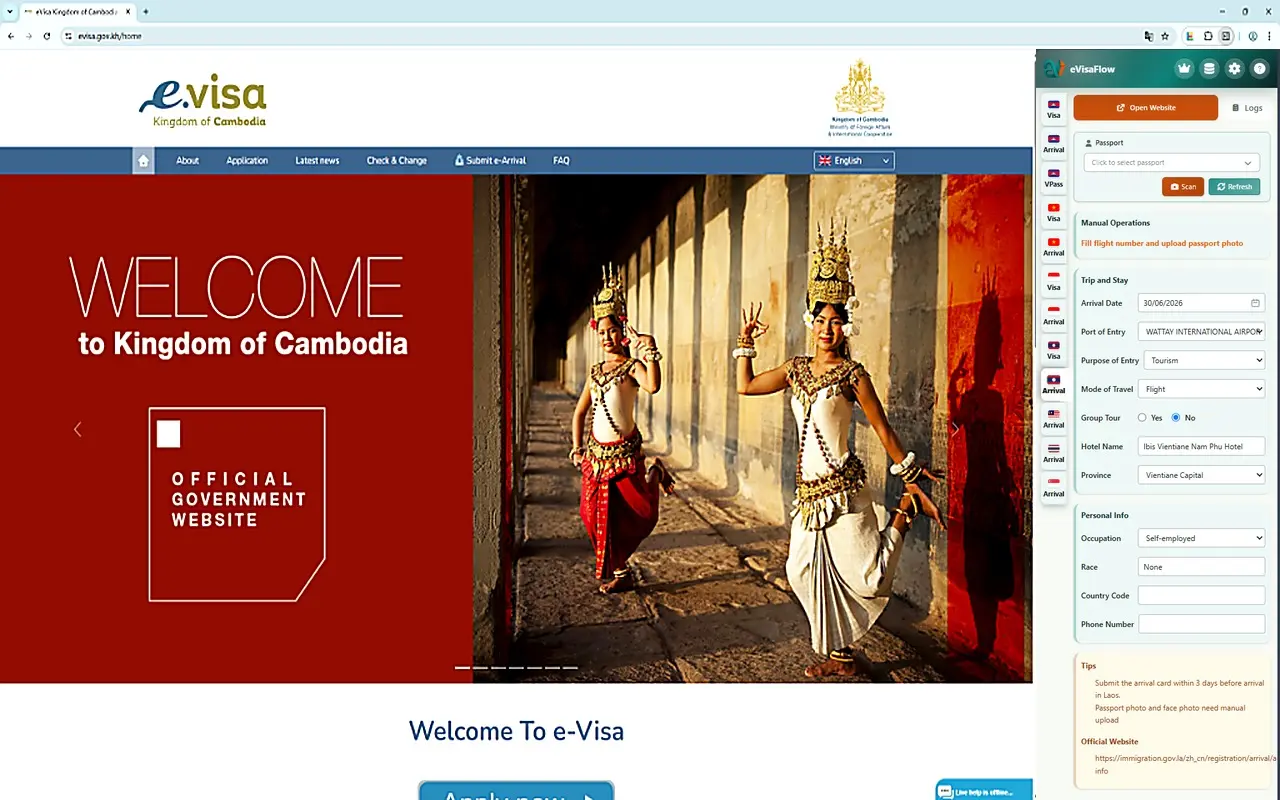
Fill saved passport, trip, accommodation, and contact details with one click on Cambodia official eVisa and e-Arrival websites. Use MRZ OCR to create passport records and reduce repeated entry.
Install the extension for free to save traveler details; view Pro when you need more usage or long-term access.
Cambodia eVisa + e-Arrival
Reuse traveler details across Cambodia eVisa and e-Arrival forms
On Cambodia eVisa and e-Arrival official websites, enter, choose, or reuse passport, trip, accommodation, contact, and related information.
eVisa: fill visa form details
evisa.gov.kh
- Visa type, entry date, and entry port
- Temporary address in Cambodia
- Occupation, phone, email, and email confirmation
- Passport type and passport issue date
- Entry purpose for Business visa
e-Arrival: fill entry registration details
arrival.gov.kh
- Passport number, passport issuing country, and passport expiry date
- Name, gender, date of birth, and birth country
- Occupation, phone country code, phone number, and email
- Arrival date, departure date, and entry port
- Travel purpose, transport type, and flight number
- Accommodation type, hotel name, and hotel phone
- Departure country, next destination country, health and customs declarations
One-click fill
On Cambodia eVisa or e-Arrival official websites, fill saved passport, trip, stay, contact, and related details with one click.
Reduce repeated-entry mistakes
Type passport numbers, dates, ports, addresses, and contact details less often, reducing the risk of mistakes from repeated form entry.
Faster reuse for groups and repeat trips
For family trips, group travel, or frequent Cambodia visits, reuse different traveler profiles and reduce repeated typing the next time you fill information.
Final steps still happen on the official website · eVisaFlow is for filling saved information with one click; final review, payment, verification, and submission still happen on the official website.
Part of the multi-country product
Use this page to confirm Cambodia eVisa and e-Arrival coverage. If you manage several destinations, families, groups, or repeat travelers, eVisaFlow Southeast Asia is the broader product entry point for reusable traveler profiles across covered Southeast Asia destinations and forms.
FAQ
What does the Cambodia product support?
It supports filling common traveler information on the official Cambodia eVisa and e-Arrival websites, including passport details, dates, ports, stay address, and contact information.
Do I still need to use the official website?
Yes. You can run eVisaFlow on the official website to fill saved passport, trip, stay, and contact information with one click; final review, payment, verification, and submission still happen on the official website.