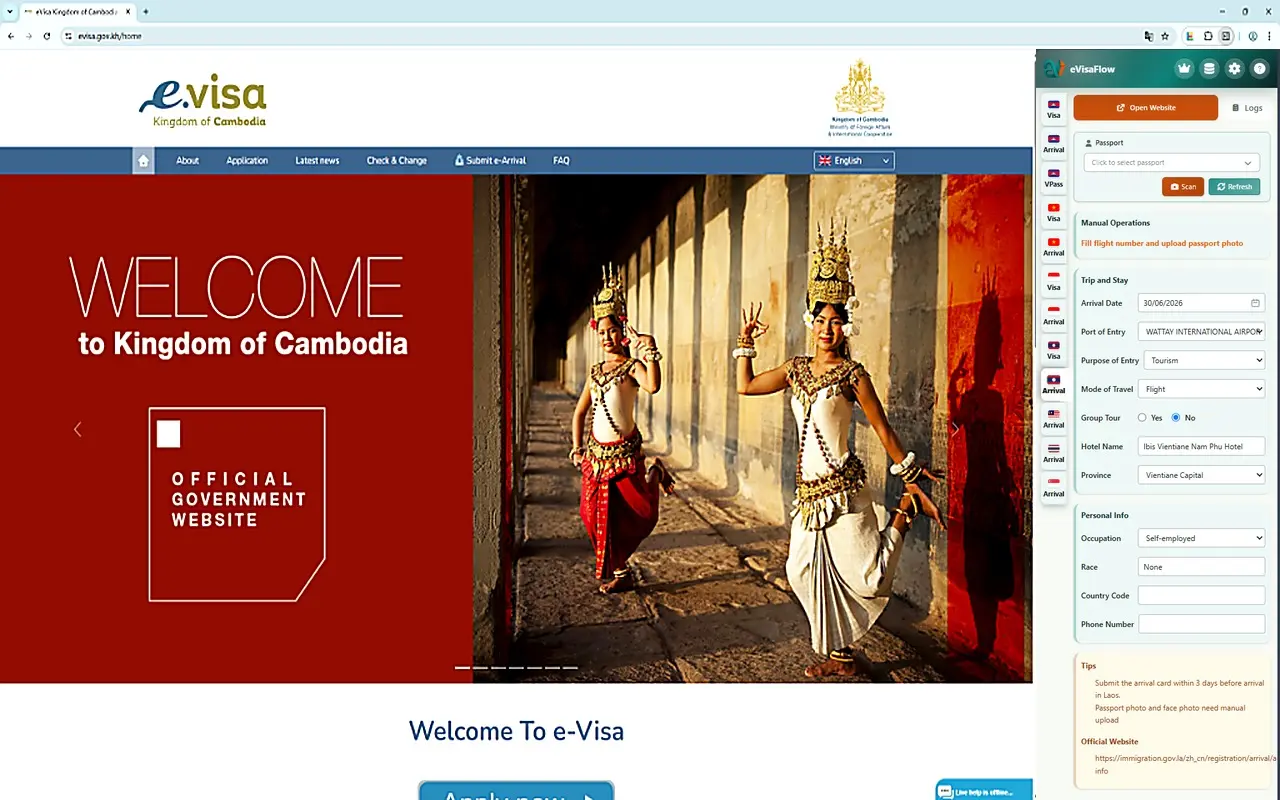

eVisaFlow Cambodia
브라우저 확장 프로그램 안정 버전
Extension eVisa Available now

eVisaFlow Cambodia

Built for Cambodia — covers eVisa, e-Arrival, and v-Pass in one extension.

eVisaFlow Pro

한 번 업그레이드하면 지원되는 모든 제품과 목적지에서 eVisaFlow를 사용할 수 있습니다.

요금

What eVisaFlow Cambodia helps prepare

Information you can prepare

Prepare passport profile, visa type, entry date, entry port, temporary address, occupation, travel purpose, accommodation, and contact information.

eVisa vs e-Arrival

Use the eVisa workflow for visa applications and the e-Arrival workflow for entry registration. eVisaFlow keeps the two processes separated.

Supported official websites

Works beside evisa.gov.kh for Cambodia eVisa applications and arrival.gov.kh for e-Arrival registration.

Human review before submission

eVisaFlow prepares supported form content; you still review the official page, solve any verification, and submit yourself.

Updated with official pages

When official websites change their form content, application steps, or verification method, eVisaFlow updates the Cambodia module.

Official OCR plus eVisaFlow checks

The Cambodia eVisa site may read a passport photo first. eVisaFlow OCR is a backup and checking layer for keeping your saved passport profile accurate.

Cambodia eVisa and e-Arrival workflows

eVisaFlow Cambodia is for people who repeatedly prepare Cambodia eVisa applications or e-Arrival registrations on supported official websites.

Cambodia eVisa and e-Arrival are different

A Cambodia eVisa is a visa application workflow on evisa.gov.kh. Cambodia e-Arrival on arrival.gov.kh is an entry registration workflow. It does not replace visa approval, and it should not be treated as the same process as an eVisa application.

Official OCR and eVisaFlow OCR

On the Cambodia eVisa website, the first step may ask you to upload a passport image so the official page can read passport information. eVisaFlow should be used as a preparation and checking layer: keep a passport profile ready, compare the official OCR result with your saved passport data, and prepare the travel, contact, occupation, port, and stay information that the official page still asks you to review.

The Cambodia e-Arrival website does not work the same way as the eVisa passport-photo step. eVisaFlow can use your saved passport profile and OCR-supported passport data to help prepare the arrival registration before you review and submit it.

Simple workflow

  1. Save or scan a passport profile in eVisaFlow.
  2. Open evisa.gov.kh or arrival.gov.kh.
  3. Let the official eVisa page read the passport photo when it asks for one.
  4. Use eVisaFlow to prepare supported form content such as visa type, entry date, entry port, temporary address, occupation, purpose of travel, transport details, accommodation, and contact information.
  5. Review every page on the official website before submitting.

Official websites can change their form content, application steps, or verification method. eVisaFlow follows supported official websites and updates the software when those changes affect autofill.

쿠키를 사용합니다

저희는 로그인, 환경설정 및 기본 사이트 분석을 위해 쿠키를 사용합니다. "동의"를 클릭하면 쿠키 사용에 동의하는 것입니다. 자세히 보기