How to Pay in Vietnam: Cards, Grab, VNPAY, VietQR, and Cash Backup
A practical guide to paying in Vietnam with international cards, Grab, VNPAY, VietQR bank transfers, Apple Pay, and small VND cash backup.
Vietnam is increasingly cashless, but tourist payments are split between card networks, app-specific card payments, and domestic bank-transfer QR rails. Do not assume every QR code works with a foreign banking app. Plan with a mix of international card, Grab card payment, VNPAY where it works, and small Vietnamese dong (VND) notes.
TL;DR: VNPAY has an international visitor flow that asks for an international phone number, passport details, and Visa/Mastercard/JCB card linking. Grab's current Vietnam payment page shows how to link an international card directly in Grab; its detailed 2018 Vietnam guidance says customers with foreign phone numbers can use linked international debit or credit cards for specified Grab services, while the GrabPay by Moca wallet itself requires a local Vietnamese number. Check that your card and the card payment option appear in the current app before booking. VietQR is a NAPAS bank-transfer QR service for transfers from a customer's own account at NAPAS member banks, so ordinary foreign banking apps should not be your main VietQR plan. Apple Pay is supported in Vietnam and works where contactless payments are accepted with supported cards. Keep small VND notes for street food, markets, small taxis, and payment outages.
Good first option where card terminals or contactless symbols are shown. Some small merchants may decline cards or add a surcharge.
Grab card payment
Grab services where the current app offers card as a payment option
Link an international debit or credit card directly in Grab, and confirm the option before booking. Do not confuse this with activating the local GrabPay by Moca wallet.
Da Nang's official tourism portal describes an international visitor registration and card-linking flow. Test with a small purchase before relying on it for a full trip.
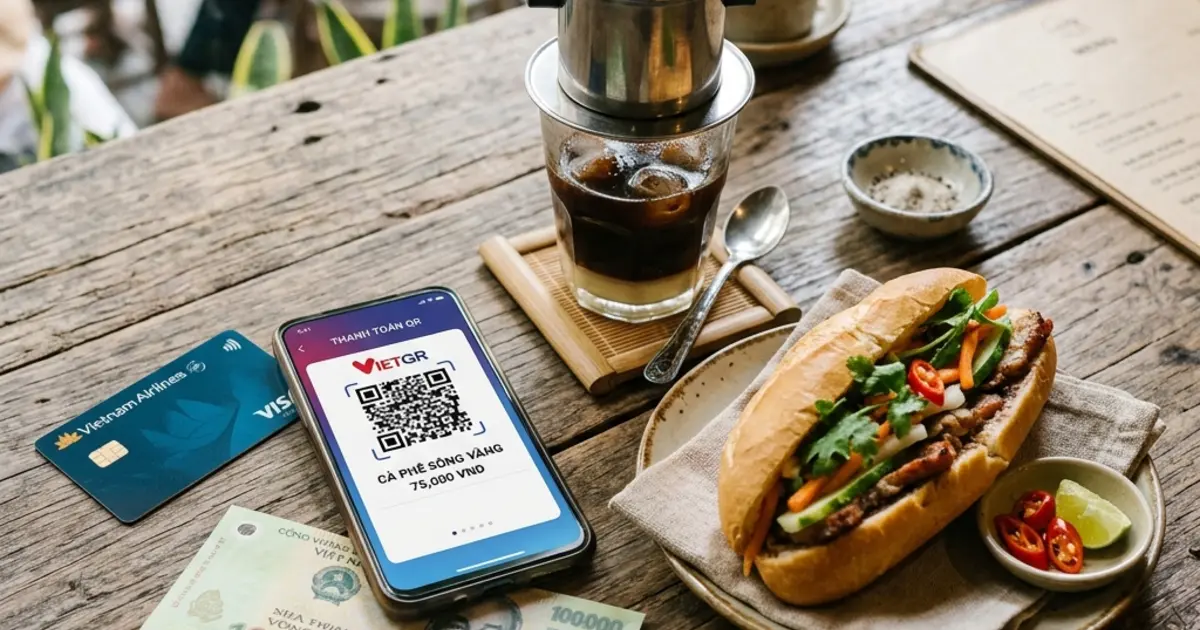
VietQR bank transfer
Bank-account QR transfers, local shops, cafes, vendors
Built around NAPAS member-bank accounts. Tourists without a Vietnamese bank/payment app usually cannot treat every VietQR sticker as directly payable.
Cash
Street food, markets, small shops, local taxis, backup
Carry small VND notes. Cash still solves low-value purchases, weak signal, and QR/card failure.
II. Practical Payment Rules
1. Use cards and Apple Pay where card terminals are clearly accepted
Apple lists Vietnam as an Apple Pay supported country, and Apple Pay works where contactless payment symbols are accepted with supported cards. In practice, this is most useful at hotels, malls, larger restaurants, supermarkets, convenience stores, and app checkouts.
Check the terminal first: Look for Visa, Mastercard, contactless, or Apple Pay marks before ordering.
Ask about surcharges: Smaller restaurants, boutiques, or local services may add a card surcharge or set a minimum spend.
2. Use Grab card payment, but separate it from the local wallet
Grab's current Vietnam payment page shows how to link an international credit or debit card directly in the app. Its more detailed Vietnam guidance, published in 2018 and still available on Grab's site, says foreign-number users can make cashless payments for specified Grab services with international cards linked directly in their Grab accounts, while the GrabPay by Moca wallet needs a local Vietnamese mobile number. Because service coverage can change, confirm that card appears as a payment option in the current app before booking.
Best use case: Airport transfers, city rides, GrabBike, and other services where card is shown as a payment option in the app.
Do not rely on wallet balance: If you cannot activate the local wallet, use the card payment option shown inside Grab instead.
3. Treat VNPAY as useful, but test it before depending on it
Da Nang's official tourism portal describes a VNPAY App flow for international visitors: register with an international phone number, enter traveler details, link Visa/Mastercard/JCB, then scan merchant QR codes.
Start with a small payment: Confirm that your card, issuer OTP, and merchant QR work before using VNPAY as your main method.
Expect uneven coverage: Some QR codes are bank-transfer or domestic-wallet flows, not card-funded tourist payments.
4. Do not assume VietQR, MoMo, or ZaloPay will work like a foreign wallet
NAPAS describes VietQR as a service where customers transfer money from their own accounts to accounts at NAPAS member banks by scanning VietQR codes. That makes it excellent for local bank users, but not automatically usable from an ordinary foreign banking app.
VietQR: Use only if your Vietnamese bank/payment app or a verified visitor payment service explicitly supports it.
MoMo and ZaloPay: Verification, funding, and foreign-user rules can change by provider and regulation. For a short tourist trip, do not make them your only plan unless the app has already verified your account and payment source.
5. Keep small VND notes
Even a mostly cashless trip still needs cash.
Where cash helps: Street food, wet markets, small cafes, roadside services, small local taxis, and places with poor mobile signal.
Avoid only large notes: Keep a mix of 10,000, 20,000, 50,000, and 100,000 VND notes so small vendors can make change.
Disclaimer:
The information in this article is compiled by evisaflow.com from official publications and open internet sources for informational purposes only, and does not constitute formal travel advice. Travel information (including but not limited to visa regulations, entry policies, fees, and attraction schedules) is subject to change without notice. Please verify all details independently with the relevant official authorities before traveling. evisaflow.com assumes no liability for travel disruptions or losses resulting from reliance on this content.