Disclaimer: The information in this article is compiled by evisaflow.com from official publications and open internet sources for informational purposes only, and does not constitute formal travel advice. Travel information (including but not limited to visa regulations, entry policies, fees, and attraction schedules) is subject to change without notice. Please verify all details independently with the relevant official authorities before traveling. evisaflow.com assumes no liability for travel disruptions or losses resulting from reliance on this content.
Guide
Border & Entry
Travel Tips
7 min read
Malaysia MDAC Form: Fields, Timing, Autogate, and Common Fixes
Complete Malaysia Digital Arrival Card (MDAC) registration on the official portal, check your confirmation, and verify Autogate eligibility before arrival.
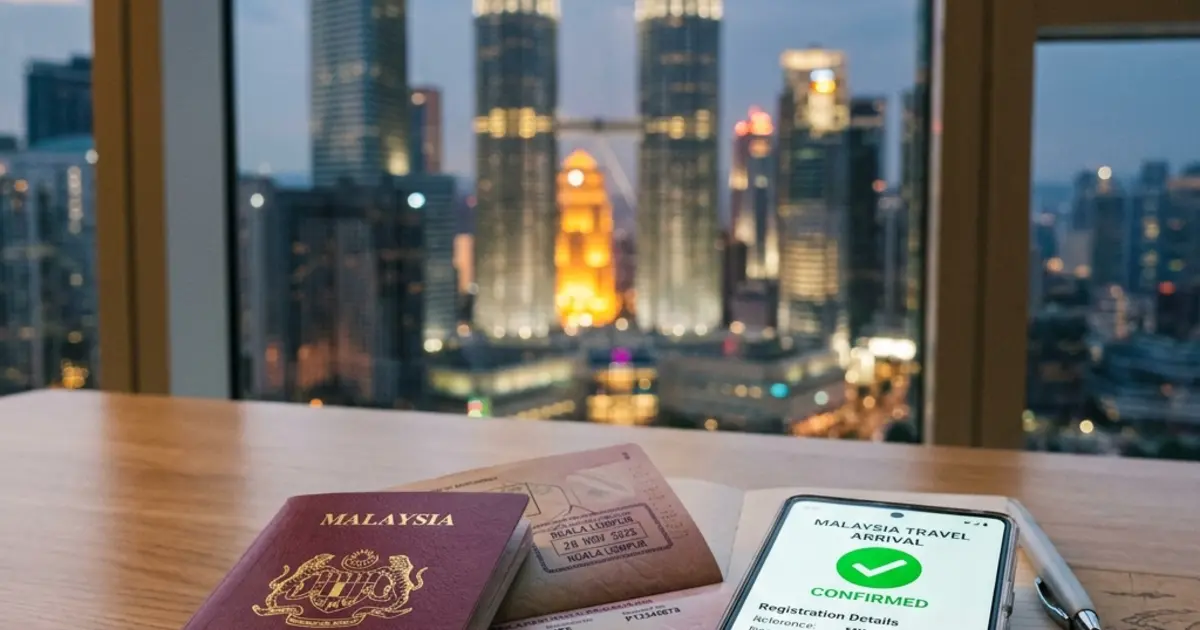
Foreign travelers entering Malaysia are generally required to complete the Malaysia Digital Arrival Card (MDAC) online before arrival. The official registration is free. The form states that the trip must be within 3 days, including the submission date, and currently allows an arrival date of today, tomorrow, or the following day. This guide focuses on the fields travelers actually see, how to check a submitted record, transit edge cases, and the official eGate eligibility page.
TL;DR: Go to the official registration website at imigresen-online.imi.gov.my/mdac. The MDAC is not a visa; it does not replace visa requirements or visa-free policies. Complete the registration within 3 days before arrival, save the confirmation, and use the official Check Registration page if you need to retrieve or verify it. If you plan to use Autogate, check the official eGate Eligibility Status page before relying on it.
I. Malaysia MDAC Registration Rules
| Requirement | Official Rule | Practical Tip |
|---|---|---|
| Official Portal | imigresen-online.imi.gov.my/mdac | Only use the official site. Avoid third-party websites demanding processing fees. |
| Submission Window | The trip must be within 3 days, including the submission date | The current form allows arrival today, tomorrow, or the following day. |
| Who Needs It | Foreign citizens entering Malaysia, unless exempt | The official seven-category exemption list appears below. |
| Government Fee | Free | Official registration is entirely free. Close the window if asked for card details. |
The official exemptions are:
- Singapore citizens.
- Diplomatic and official passport holders.
- Malaysian permanent residents and Malaysian long-term pass holders.
- Holders of a Brunei General Certificate of Identity (GCI).
- Holders of the Brunei–Malaysia Frequent Traveller Facility.
- Thailand Border Pass holders.
- Holders of an Indonesian Cross-Border Travel Document (PLB).
II. Step-by-Step MDAC Registration Process
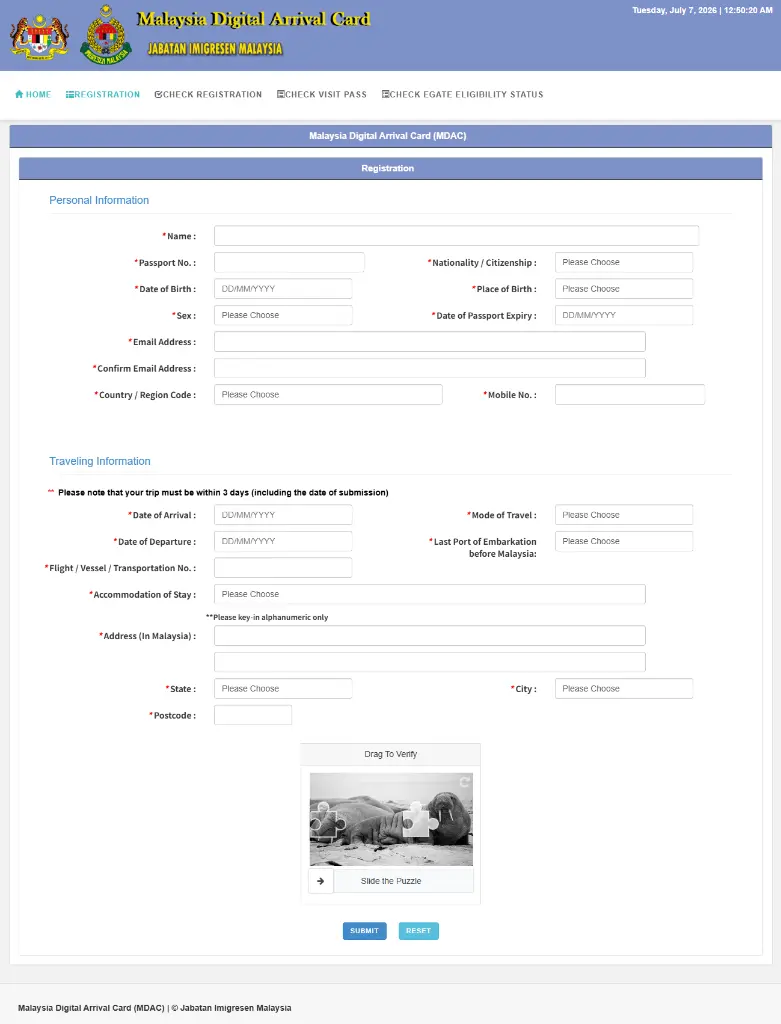
Before you start, prepare your passport, travel details, and actual accommodation address, then fill out the official form fields:
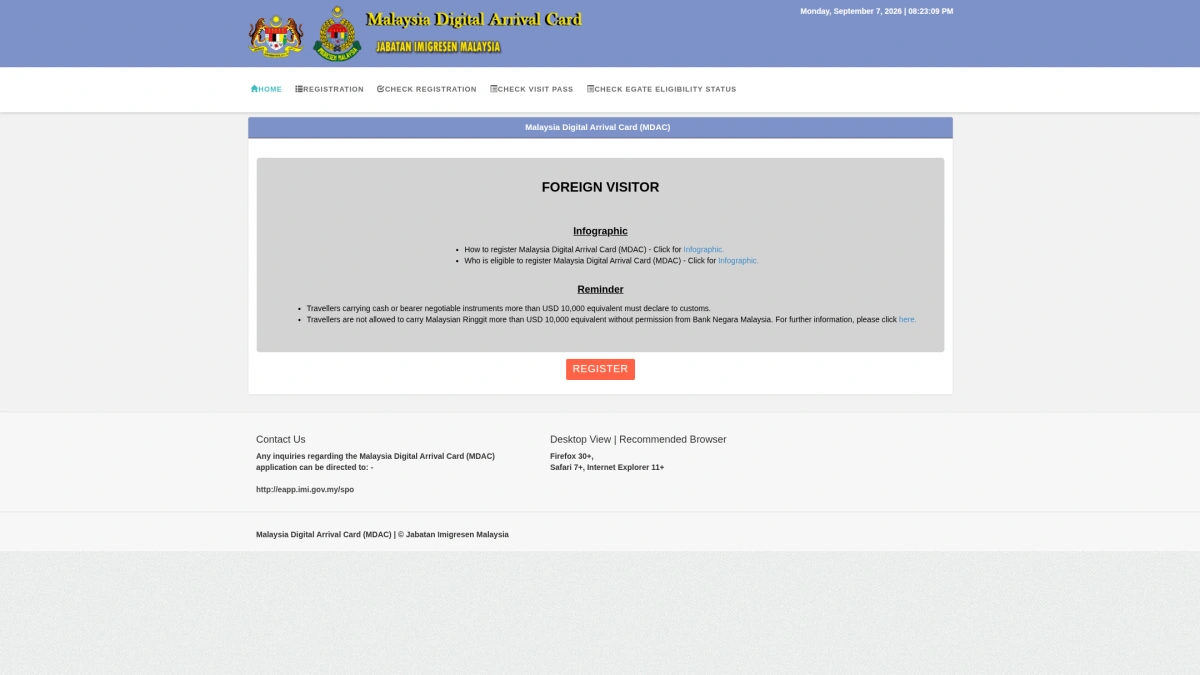
- Enter the Portal: Visit the official website and click the "REGISTER" button to open the form.
- Fill in Personal Information:
- Name: Copy your full name from the biographical page of your passport. Check every name and space before submitting.
- Passport No. & Date of Passport Expiry: Carefully type your passport number and expiration date (in DD/MM/YYYY format).
- Nationality / Citizenship & Place of Birth: Select your nationality and birth country from the dropdown menus.
- Date of Birth & Sex: Select your birth date and sex.
- Email Address & Confirm Email Address: Double-type your email address to ensure accuracy for receiving the confirmation.
- Country / Region Code & Mobile No.: Choose your country calling code and enter your phone number.
- Fill in Traveling Information:
- Date of Arrival & Date of Departure: Enter your scheduled arrival and departure dates. The form says, Please note that your trip must be within 3 days (including the date of submission), and currently makes only the submission date and the following two dates available for arrival.
- Mode of Travel: Select your mode of transport (Air, Land, or Sea).
- Last Port of Embarkation before Malaysia: Select the country or territory from which your final flight, vessel, or land journey to Malaysia departs. For example, select China for a direct Beijing–Malaysia flight, or Singapore if the final segment to Malaysia departs from Singapore.
- Flight / Vessel / Transportation No.: Type your flight number, vessel name, or bus/transport number.
- Fill in Accommodation Details:
- Accommodation of Stay: Select your lodging type (Hotel, Residence, or Others).
- Address (In Malaysia): Enter the real address of your hotel, motel, rest house, friend or relative's residence, or other actual stay. The form displays Please key-in alphanumeric only and rejects placeholder values such as
NA,N/A,NULL, andNIL. If the address fails validation, follow the on-page prompt instead of inventing another address. - State & City & Postcode: Select the corresponding Malaysian state, city, and enter the postal code.
- Slide the Puzzle and Submit:
- Drag To Verify: Slide the puzzle piece to complete the image verification box (Slide the Puzzle).
- Click the blue SUBMIT button. Keep the registration confirmation and PIN. The official Check Registration page uses passport details and the PIN, and the Forgot PIN page can send a new PIN to the registered email address.
III. Avoidance Guide: Common Traveler Questions and Pitfalls
Q: Why is there no QR code in my MDAC confirmation?
The official portal does not promise that every confirmation will use a QR code or a fixed document layout. Use Check Registration with your passport details and PIN to verify the record. Keep the confirmation available because the Immigration Department's official infographic instructs travelers to show the MDAC registration and passport at the immigration counter.
Q: I made a typo in my name, passport number, or dates. How do I edit my submission?
The public MDAC portal provides Registration, Check Registration, and Forgot PIN, but it does not publish an edit procedure for a submitted record. First check the record through Check Registration. If a material detail is wrong, ask the Immigration Department through the official Online Inquiry System before submitting another record; do not assume that an unofficial site's correction method applies to the government portal.
Q: Do I need to submit the MDAC if I am only transiting through Kuala Lumpur?
MDAC is an arrival card for travelers entering Malaysia. If your airline confirms that an international-to-international connection remains airside and does not require Malaysian immigration clearance, you are not entering Malaysia for that transfer. If you must clear immigration—for example, to collect and recheck baggage, transfer between terminals where immigration clearance is required, or leave the airport—you are entering Malaysia and must complete the MDAC unless you fall within an official exemption. Confirm the transfer procedure with the operating airline because a single booking does not by itself guarantee an airside connection.
Q: I am only transiting or do not have a hotel booking yet. What should I write in the address field?
If you will clear immigration, enter your actual Malaysian accommodation or host address. Malaysian official entry guidance asks for proof of paid hotel accommodation or a lodging address; when staying with a friend or relative, it also asks for the host's identity document and contact number. Do not use an airport address or a tentative hotel merely to bypass the required field. If you have no real Malaysian address for an itinerary that requires immigration clearance, resolve the accommodation or ask Immigration through the official Online Inquiry System before registering.
Q: I am a first-time visitor. Can I use the Autogates immediately on arrival?
First-time status is not listed as a standalone condition on the official eGate page. That page states that eligible business and social travelers from 63 countries must hold an e-passport and have submitted the MDAC within the required window; travelers from Thailand, Cambodia, Laos, the Philippines, Vietnam, Myanmar, Indonesia, and Timor-Leste are listed as eligible only for departure. Check your passport and arrival date through the official eGate Eligibility Status page. If it does not confirm arrival eligibility, or airport staff direct you to a manual counter, follow the officer's instructions.
IV. How to Improve Form Filling Efficiency?
The official Malaysian MDAC website does not support saving drafts. If you are preparing details for several family members or travelers, repeatedly typing passport, travel, and lodging details can be tedious.
eVisaFlow Southeast Asia can fill saved passport, traveler, trip, and intended address details on the official MDAC website, reducing manual typing errors and saving time.
References
- Malaysia Digital Arrival Card (MDAC) Official Portal
- Malaysia MDAC Registration Form
- Malaysia MDAC Check Registration
- Malaysia MDAC Forgot PIN
- Malaysia MDAC eGate Eligibility Status
- Malaysia Entry and Visa Procedure (Ministry of Foreign Affairs)
- Malaysia Entry Requirements and MDAC Fee Warning (Consulate General in Perth)
- Immigration Department Online Inquiry System
eVisaFlow tool
Filling official eVisa and arrival forms?
eVisaFlow helps you reuse passport details and reduce repetitive typing when you complete supported Southeast Asia eVisa and arrival forms.
Related Reading
Guide
Malaysia Visa-Free Entry: Do You Still Need the MDAC?
Yes — visa-free entry does not waive the MDAC for most travelers. How China's and India's separate exemptions differ, the 3-day MDAC window, and autogate eligibility.
Guide
SGAC or MDAC Mistake: Officially Verified Correction Steps
What the official Singapore and Malaysia systems actually let you do after entering the wrong passport, flight, or arrival details.
Guide
How to Fill Out the Malaysia MDAC Arrival Card with eVisaFlow
Fill the Malaysia MDAC with eVisaFlow, then select your birthplace and check the departure country, default departure date and accommodation address.
Guide
Crossing Between Singapore and Malaysia: Do You Need Both SGAC and MDAC?
SGAC and MDAC are separate systems from two governments, and neither replaces the other: which form each direction needs, exemptions, and the two 3-day windows.