
eVisaFlow Southeast Asia mobile app
On iPhone now · Android coming soon
Fill Southeast Asia arrival cards on your phone
Save your passport details once, then fill the official arrival card website with one tap before you fly. The security check, the final review and the sending are yours.
 iPhone · iOS 15 or later
 Android · Coming soon
- Free to download
- No account needed to fill
- Details stay on your phone
Arrival cards it fills
The app fills only on these official websites.
-
 Thailand TDAC
Thailand Digital Arrival Card
tdac.immigration.go.th
-
 Malaysia MDAC
Malaysia Digital Arrival Card
imigresen-online.imi.gov.my
-
 Cambodia e-Arrival
arrival.gov.kh
-
 Singapore SGAC
SG Arrival Card
eservices.ica.gov.sg
Three steps to a filled arrival card
-
1
Save the traveler
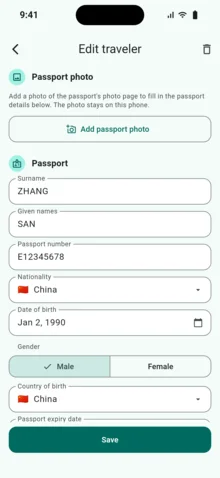
Type the details in, or take a photo of the passport and let the app read it. Add your family and anyone you travel with.
-
2
Enter this trip
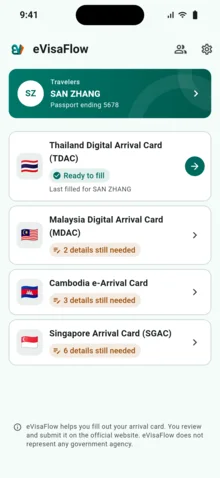
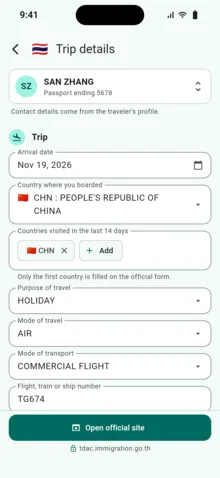
Arrival date, flight and where you stay. The choices are the official website's own, and the app tells you what is missing before it opens the website.
-
3
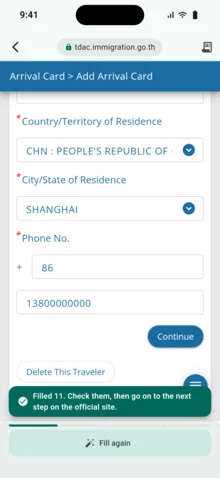
Open the official website and tap "Auto fill"
The app opens the official website inside it and fills the page you are on. The security check, the final review and the sending are yours.
Where your details are
- Your passport details and photos are stored on your phone.
- When you tap "Auto fill", the app enters your details on the official website and sends them nowhere else.
- When you scan a passport, eVisaFlow receives a copy of the photo to read it and deletes that copy after processing.
What it costs
- Downloading the app and filling arrival cards
- Free, no account needed
- Scanning a passport
- After you sign in; a new account gets 3 scans
- More scans
- Bought in the app, 10 scans a pack, at the store's price
When you sign in with Google, it is the same account as the Chrome extension and the scans are shared.
eVisaFlow is an independent tool. It is not a government app and has no connection with any government or immigration office. It does not decide whether you can enter a country, and it never sends a form for you.
Release notes